

Change the sign-in page language
You can change the language before signing in to your account.
How to change it
Section titled “How to change it”-
Open the Slingui sign-in page.
-
At the top, open the Language selector, which shows the current language.
-
Choose English or Português. The page text changes to the language you selected.
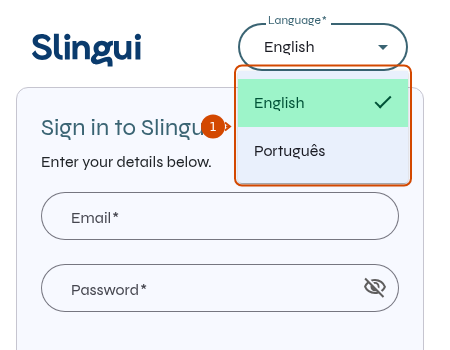
1: available sign-in page languages.
Then sign in with your email and password. This changes the interface text, not the language of your lessons.