

Create a group with students and teachers
The students and teachers must already be listed at the school. You need permission to create groups.
- In Account → Students and groups, open the Groups tab and click Create Group.
- Fill in Group Name. Use Description to add a description if needed.
- In Students, search for and select the group’s students.
- If the Teachers field is available, select the teachers. This field depends on your plan and account permissions.
- Check the participants and click Create Group. Wait for confirmation that the group was created.
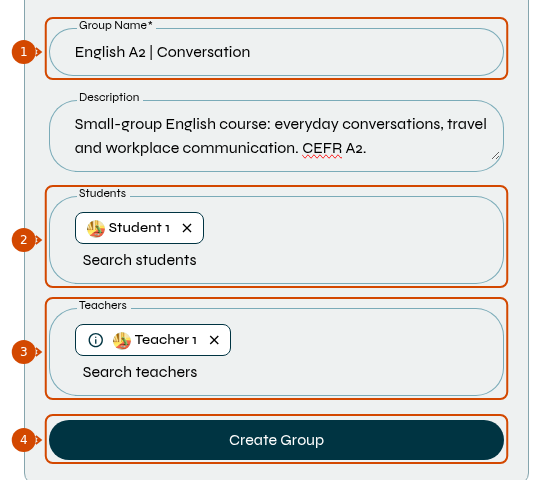
1: group name. 2: students. 3: teachers. 4: create. Interface in English.
Creating a group does not replace scheduling. To schedule a class with it, see how to schedule a class and select its participants.