

Edit the school's details
Use an account with permission to edit the school’s details. This is separate from My profile, which contains your personal details.
- In Account, open Profile and plan in the school section.
- On the school details card, click Edit.
- Change the name in Organization Name (the school’s name).
- Click Save & Update and check the name when you return to the school profile.
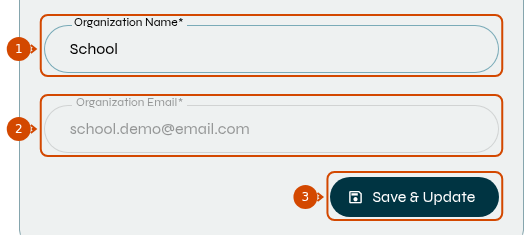
1: school name. 2: email address, which cannot be changed on this screen. 3: save. Interface in English.
Only the name is editable on this screen. Organization Email (the school’s email address) is displayed for reference.
To change logos, color or theme, see how to customize the school.