

Create your account with email and password
You need an email address you can access. If your school sent you an invitation, start with the link in that invitation.
How to create your account
Section titled “How to create your account”-
Open the sign-in page and select Create account.
-
Enter your First name, Last name and Email.
-
Select your Country, choose a Password and repeat it in Confirm password. Use at least 8 characters, including letters, an uppercase letter and numbers.
-
Read the Terms of Service and, if you agree, select the acceptance checkbox.
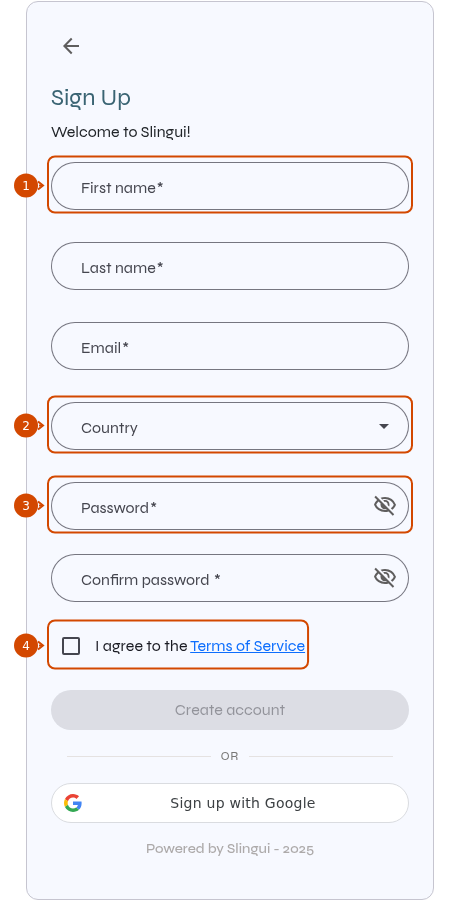
1: first name. 2: country. 3: password. 4: terms acceptance.
-
Select Create account. When you return to the sign-in page, sign in with your email and password.
If you cannot continue
Section titled “If you cannot continue”- Create account is disabled: check the required fields, both passwords and the terms checkbox.
- Your email is already registered: sign in to your existing account or reset your password.