

Reschedule a lesson or series
You need permission to edit the lesson. This procedure changes the date or time, not the series recurrence pattern.
-
Open Account → Calendar and click the lesson you want to reschedule.
-
Adjust the date and start and end times in the available fields.
-
Click Save Changes.
-
If the lesson is recurring, choose the scope carefully:
- This event only: only the occurrence you opened.
- This and following events: that occurrence and future ones.
- All events in the series: every event in the series, not just future ones.
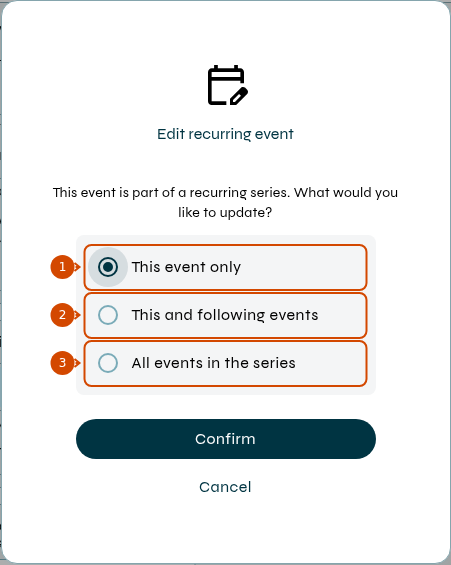
1: this occurrence only. 2: this and following occurrences. 3: the entire series.
-
Confirm your choice and check the new time in the calendar.
Type and Status cannot be changed in this form. To change the lesson status, use Class review.
If the date or time fields are not available for editing, do not continue with this procedure; ask school management to check the lesson and your permissions.
See also how to navigate the calendar.