

Select lesson participants
You need permission to create or edit the lesson.
-
In Account → Calendar, open Create Event for a new lesson or click an event you can edit.
-
In Participants, choose who will attend:
- Groups: classes or groups.
- Students: individual students.
- Teachers: teachers.
-
Check the selected participants before saving.
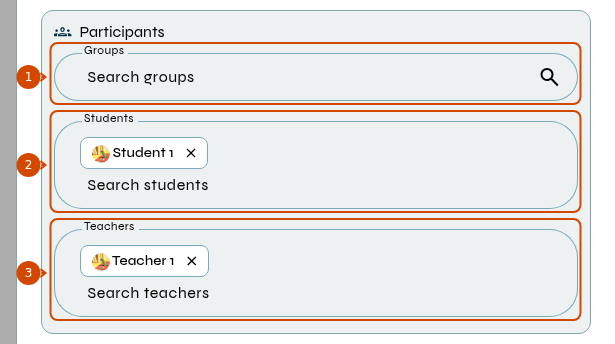
1: groups. 2: students. 3: teachers.
-
For a new lesson, complete the remaining fields and click Create Event. For an existing lesson, click Save Changes.
If the lesson belongs to a recurring series, check the scope requested when saving: only that event, that event and following events, or the whole series. See editing scopes.
Event details are visible to invited students. If you cannot access the group or lesson, ask school management to check your permissions.