

Record homework completion
For school managers and teachers with permission to review the lesson.
How to record homework
Section titled “How to record homework”-
Open Account > Calendar > Classes and find the lesson by date.
-
Under Actions, select Class review.
-
Under Homework, choose No homework, Not done or Done for each student.
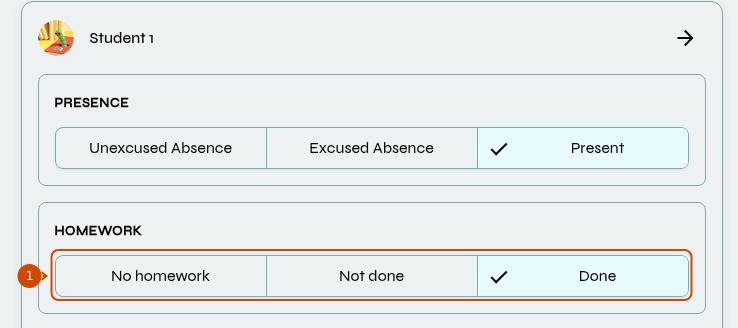
Under Homework, record whether homework was assigned and whether the student completed it.
-
Select Save. The homework status is visible to the student.
This records homework completion; it does not create or grade exercises.
If the lesson is canceled, fill in Cancellation Reason to save. Changing the cancellation or its reason also affects attendance: check the rules.
See also: write lesson feedback.