

Sign in to Slingui with email and password
Access your Slingui account in a browser. This guide is for school managers, teachers and students who already have an email-and-password account.
Before you start
Section titled “Before you start”Have the email address you registered with and your password ready. If your school provided its own sign-in address, start there.
How to sign in
Section titled “How to sign in”- Open the Slingui sign-in page. You can choose English in the language selector at the top.
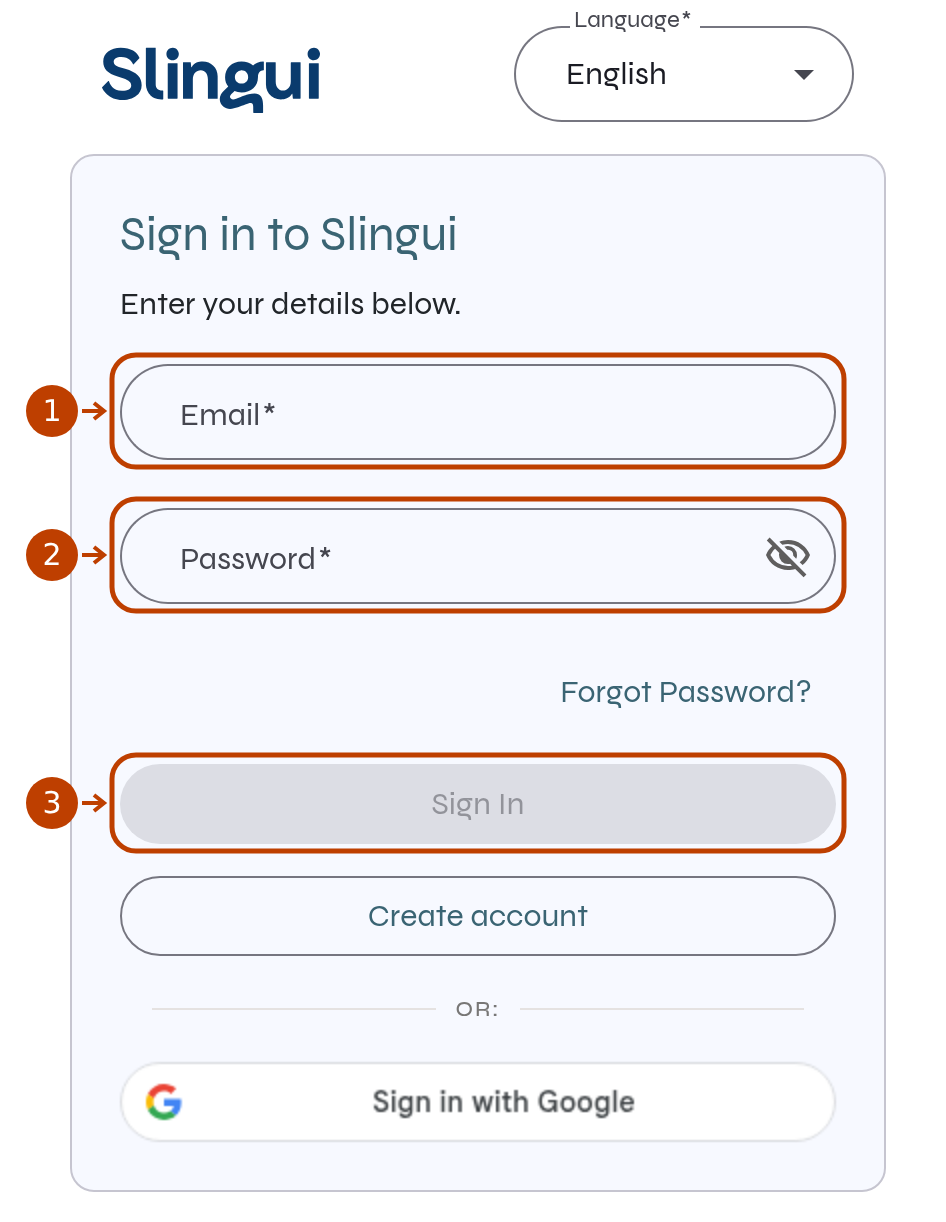
- In Email (marker 1), enter the address used for your account.
- In Password (marker 2), enter your password. The eye icon lets you show or hide what you typed.
- Select Sign In (marker 3). If an access confirmation request appears, follow the instructions on the screen.
If you cannot sign in
Section titled “If you cannot sign in”- Sign In is disabled: check that the email address is complete and the password field is filled in.
- Forgot your password: follow the guide to reset your password.
- Usually sign in with Google: if Sign in with Google appears, use that option. Available sign-in options may vary by device.
After signing in, use the getting-started guide to find the next steps for your role.